CppPilot feature Visual Studio C++
Check your build settings
Many build problems are settings problems: a project linked with another runtime, a Release configuration that builds a Debug project, an include directory that drops inherited values. CppPilot checks for these patterns and explains its findings.
Transcript
A solution analyzed by CppPilot in Visual Studio, and its settings fixed. Storefront is an application that links a static library, Engine.
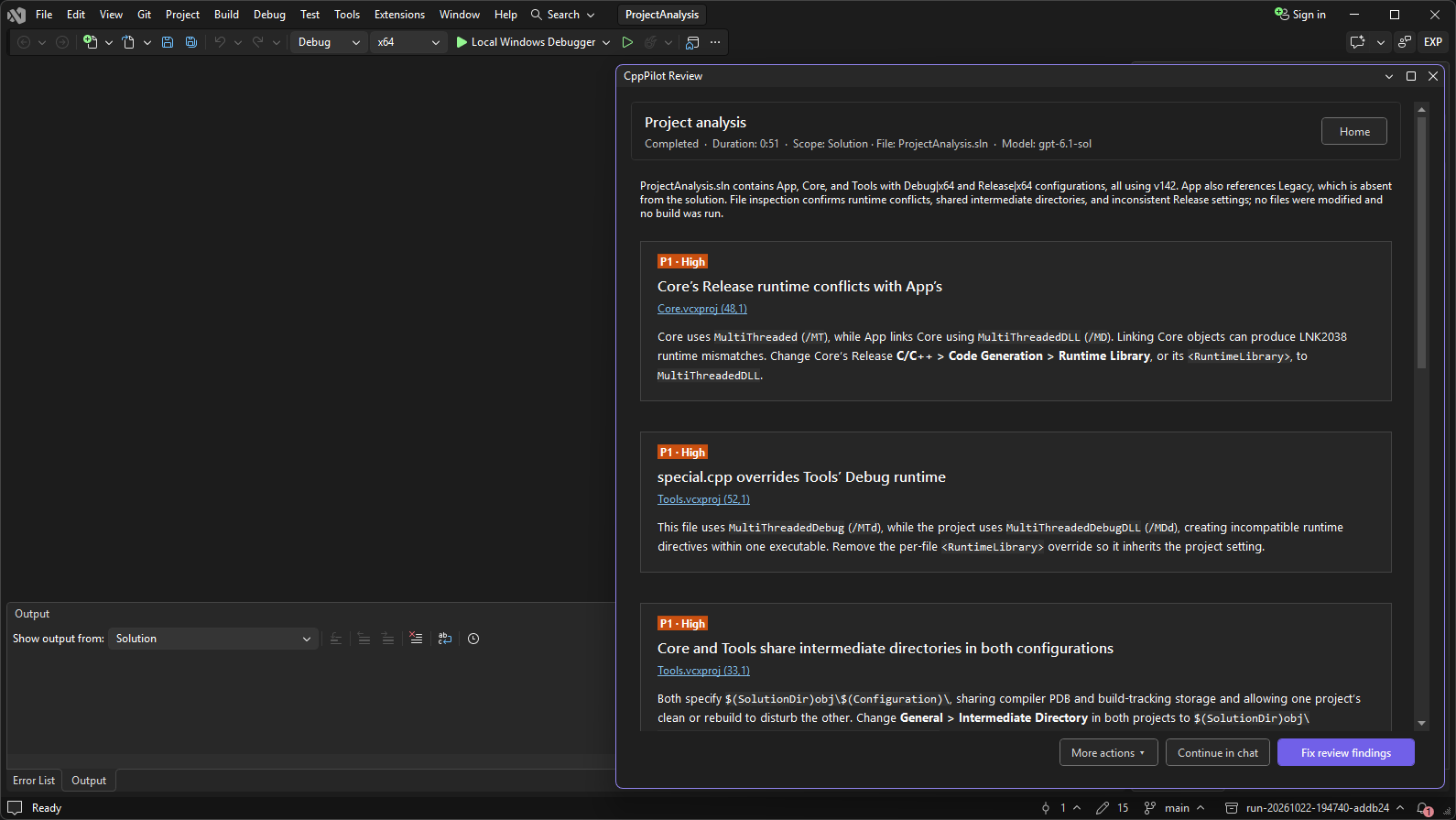
To check their settings, choose Extensions > CppPilot > Project & Solution > Analyze Solution. CppPilot reads the solution and both project files, with the values Visual Studio evaluates for every configuration.
Then the AI reviews each candidate. Two findings.
In Release, Engine uses the static runtime while Storefront uses the DLL runtime, a link conflict waiting to happen. And Storefront defines _DEBUG in Release.
Each finding names the file and the line to change. Click Fix review findings.
The AI changes only these two lines: Engine moves to the DLL runtime, and _DEBUG leaves the Release definitions. Visual Studio reloads both projects.
The analysis itself never changes a file: project files change only when you ask for the fix. CppPilot explains and fixes C++ build errors in Visual Studio.
- ReadSolution + project files
- EvaluateConfiguration + property sheets
- ReportProperty, file, and line
CppPilot checks the settings Visual Studio actually evaluates, including inherited values, rather than only the text of the project file.
Analyze a solution or a project
Right-click the solution or a project in Solution Explorer and choose CppPilot > Analyze Solution,
Analyze Selected Project, or Build Performance and Modernization. CppPilot reads the
.sln or .slnx file and the .vcxproj files, with the values Visual Studio evaluates
for every configuration and platform, property sheets included.
This analysis targets Visual Studio MSBuild C++ project files. A folder-based CMake workspace does not provide the same
.vcxproj settings model; use its targets and presets to inspect configuration.
Settings checked
- Inconsistent: static libraries linked with another runtime library (LNK2038), a Release configuration that builds a Debug project, different toolsets or C++ standards, two projects sharing an intermediate directory or writing the same output.
- Accidental: include directories or definitions that drop inherited values, absolute paths, files
compiled with their own settings,
_DEBUGin Release. - Slow: no parallel compilation, no precompiled header in a large project, whole program optimization or no incremental linking in Debug. See how to speed up C++ builds.
- Outdated: old toolsets, the Windows 8.1 SDK, C++14, conformance mode off. See how to upgrade an old project.
Evaluated settings
App | Release | x64: Runtime Library = /MDCore | Release | x64: Runtime Library = /MTApp links Core.libFinding location
Project: CoreConfiguration: Release | x64Property: RuntimeLibraryDefined in: shared.props// Choose a runtime compatible with App.Each finding points to the line to change
Findings name the property, the configuration, and the file and line where it is set, a property sheet included. The AI reviews and explains each one, and Fix review findings can correct the project files after your approval. The analysis itself never changes a file.
- LocateProperty, configuration, file
- ReviewUnderstand the reason
- RequestFix selected findings
Analysis is read-only. Request a correction only after checking whether the reported setting is intentional for this project.
Using CppPilot in Visual Studio
CppPilot connects your own Codex or Claude account to Visual Studio. If you have neither, CppPilot Cloud provides AI access for build fixes, reviews, crash analysis, and project checks. AI chat requires your own Codex or Claude account.